X6100 Link by IU1WXYBETA

The firmware · SOTA and POTA

Field Ops

A second interface of the radio, made for portable activations: big tiles and big text that read well outdoors and work with gloves. It finds the summit or park you are on by itself, even with no signal, and keeps the ADIF log of the activation.

BETAField Ops
Field Ops home

How to open it

  • APP (page 3) → Field Ops, or a long-press action on a key.
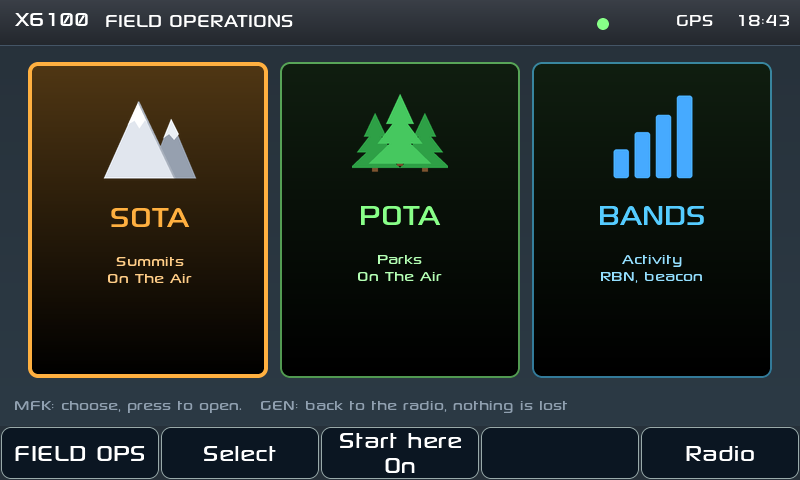
  • The home has three tiles: SOTA, POTA and Bands. The MFK chooses, a press (or a tap) opens.
  • The main knob always tunes; GEN goes back to the normal radio screen.
  • Start here makes the radio start straight in Field Ops at power on. If you don't want that, press it until it reads Off.
SOTA

Where am I?

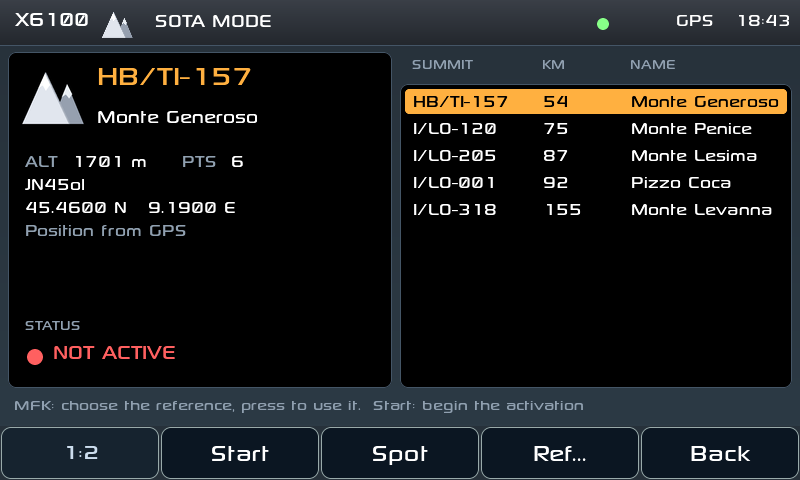
  • The position comes from the radio's GPS, else from the phone (with the X6100 Link app), else from the QTH locator. The dot at the top is green with a real position, yellow with the locator.
  • The SOTA summits and POTA parks of the whole world (about 35 MB) are downloaded once over WiFi with Update list (about 3 minutes, or from the web page): after that everything works offline, on a summit with no signal.
  • The nearest reference is chosen for you, with name, altitude and points (SOTA), locator and distance; the others nearby are listed, and Ref... types one by hand.
Activation

The activation

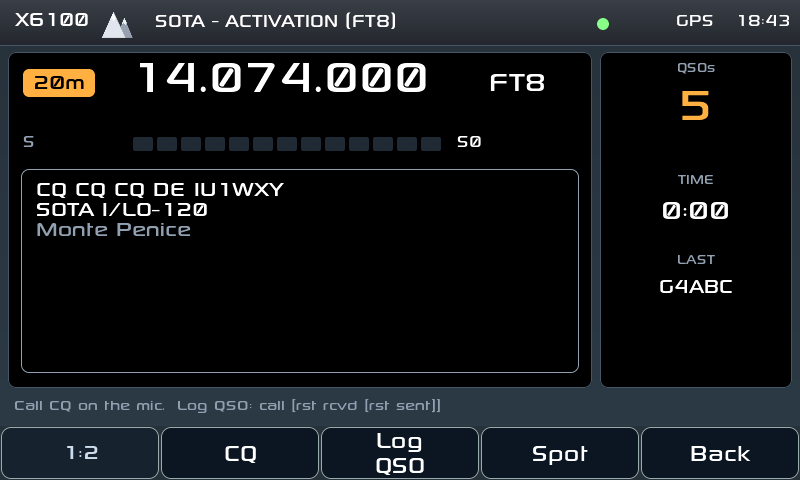
  • Start opens it: the screen becomes a dashboard with band, frequency, mode, S-meter, the CQ text with your reference, the QSO count, the time since the start and the last call.
  • CQ calls CQ CQ SOTA DE <call> (or POTA) in CW; in SSB it sends your recorded CQ (Rec CQ, once, 60 s at most).
  • Log QSO takes the call and the reports (599 / 59 by default) and writes the QSO at once to an ADIF file on the SD card, with MY_SOTA_REF or MY_POTA_REF: ready for the SOTA database, POTA or QRZ.
  • Spot self-spots you on pota.app with the radio's frequency and mode. For SOTA the automatic SOTAwatch spot is not active yet, it will come in a future version: for now post an alert on SOTAwatch and call CQ in CW, RBNHole spots you from the Reverse Beacon Network.
  • End, pressed twice, closes the activation (in POTA it also posts the QRT spot).
  • Nothing is lost: reference, running activation, log and screen live on the SD card. Leave by mistake, switch off, change the battery: Field Ops comes back where it was.
Bands

Bands: where is the band open, and who hears me?

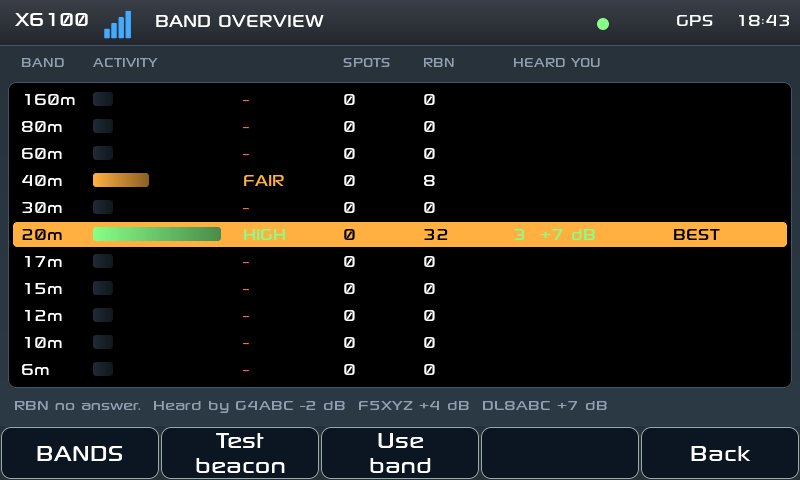
  • For every band from 160 to 6 m: the DX cluster spots of the last 30 minutes and the Reverse Beacon Network skimmer spots of the last 15, in one activity bar and a word (HIGH / GOOD / FAIR / POOR). The best band is framed.
  • Test beacon sends TEST DE <call> in CW: within a minute you see how many skimmers around the world heard you, and with which SNR. A real propagation test from your own antenna, before you call CQ.
  • Use band tunes a typical activation frequency of the chosen band. It needs WiFi and your callsign; no account.
X6100 Link

With the X6100 Link app

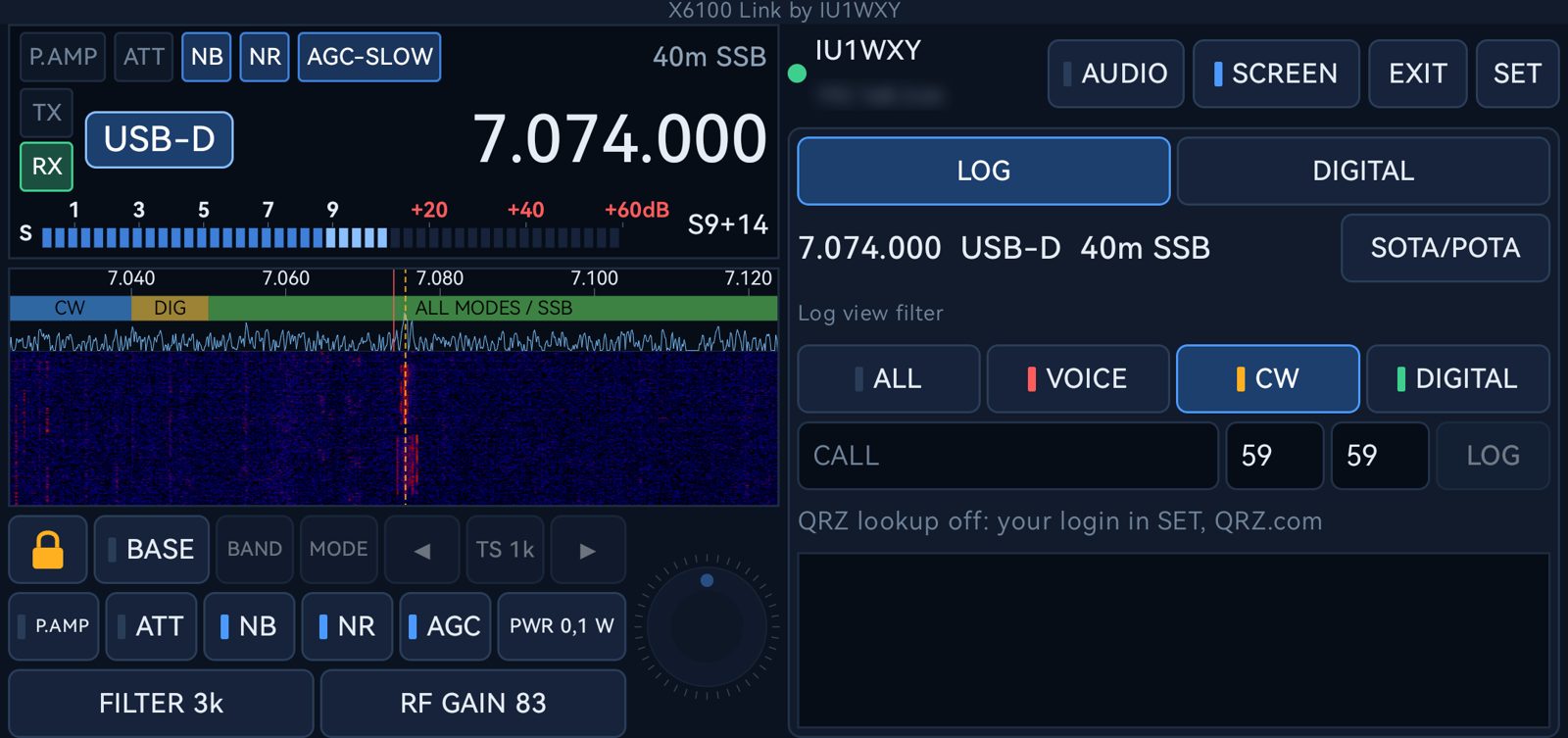
When the radio enters Field Ops, the app switches by itself to its SOTA/POTA page: the reference and the ones nearby to choose with a tap, Start and End, the QSOs typed on the phone's keyboard, the QSO list, Spot. The phone's GPS gives the radio its position.

Discover the app